
- Bunjang is a Korean secondhand shopping app for pre-loved K-pop merch and other items, and the Bunjang Store on Delivered Korea lets you order without Korean or a Korean payment method.
- Before you order a secondhand item, check what's included, the condition notes, and the photos.
- Items from different sellers arrive separately at the Delivered Korea warehouse, and combining them into one shipment can lower your shipping cost.
An unopened copy of an album from a few years back. A tour light stick you can't find anywhere now. Scroll through Bunjang (번개장터) for a while and you'll often think, "That's still out there?"
The catch comes next. Bunjang is built for trades inside Korea, so buying from overseas takes a few extra steps. This guide covers only the buying process. If you want to know what the app is first, read "What Is Bunjang? Korea's Biggest Secondhand Shopping App."
What Do You Need to Buy from Bunjang Overseas?
To buy on Bunjang, you need to chat with the seller in Korean, pay with a Korean payment method, and receive the item at a Korean address. If you live in Korea, that's routine. From abroad, all three get in your way.
The Bunjang Store at Delivered Korea, a buying and shipping service, handles those steps for you. You pick an item and place the order, and Delivered Korea takes it from there: talking to the seller, domestic shipping, and international shipping. Your part is finding the listing, ordering, and receiving the package.
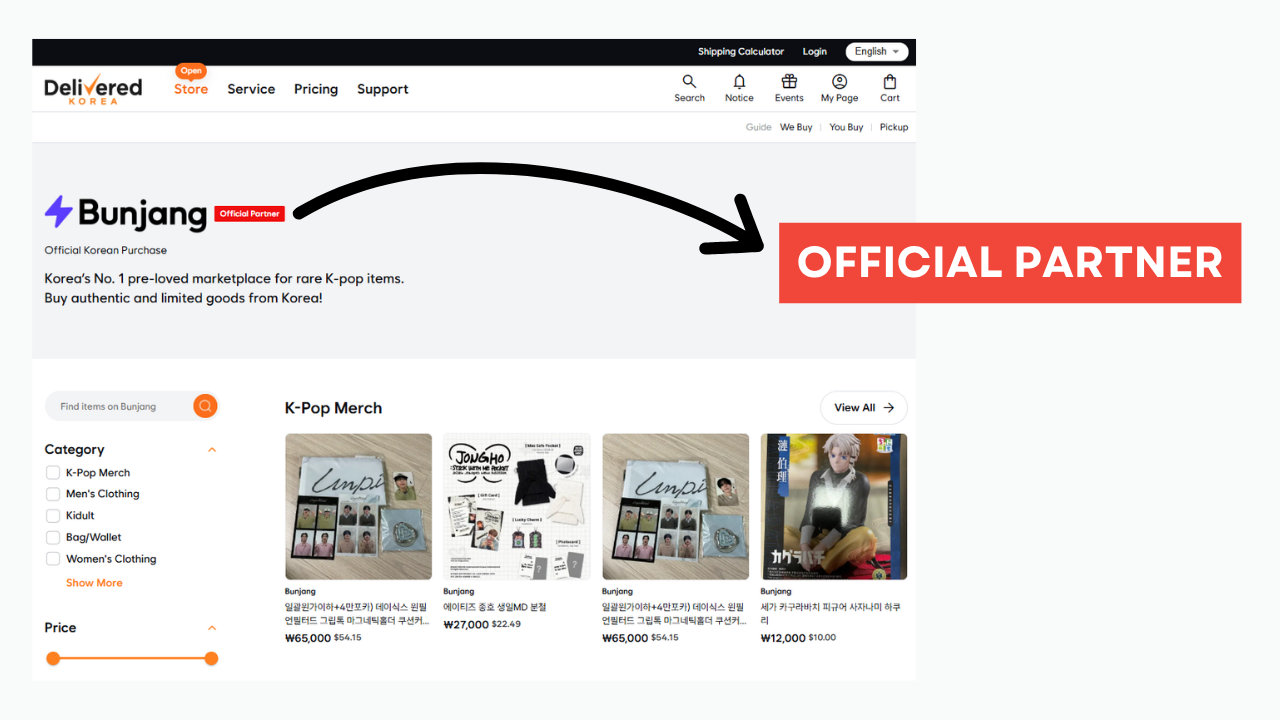
This table shows what a domestic Bunjang purchase requires and how the Bunjang Store covers each part.
| What Korean trades require | In the Bunjang DK Store |
|---|---|
| Korean with the seller | Add an Additional request, Delivered Korea talks to the seller |
| Korean payment method | Pay at Delivered Korea checkout |
| Korean delivery address | Items go to the Delivered Korea warehouse |
| International shipping | Delivered Korea ships abroad |
In short, you don't need Korean, a Korean card, or a Korean address to buy through the Bunjang Store.
How Do You Find Items in the Bunjang DK Store?
You can find items in the Bunjang DK Store with the search bar and three filters: Category, Price, and Product Type. The Product Type filter is especially handy because it separates Used from New. Not everything on a secondhand app is actually used, so if you only want sealed albums or new items, select New.
Start your search broad. Listings come from individual sellers, so the same item can have a different title every time. Search the group name first, then add a member or album name if you get too many results.
If you spot something you like, don't wait long. Most listings from individual sellers are one of a kind, and once someone else buys it, it's gone.
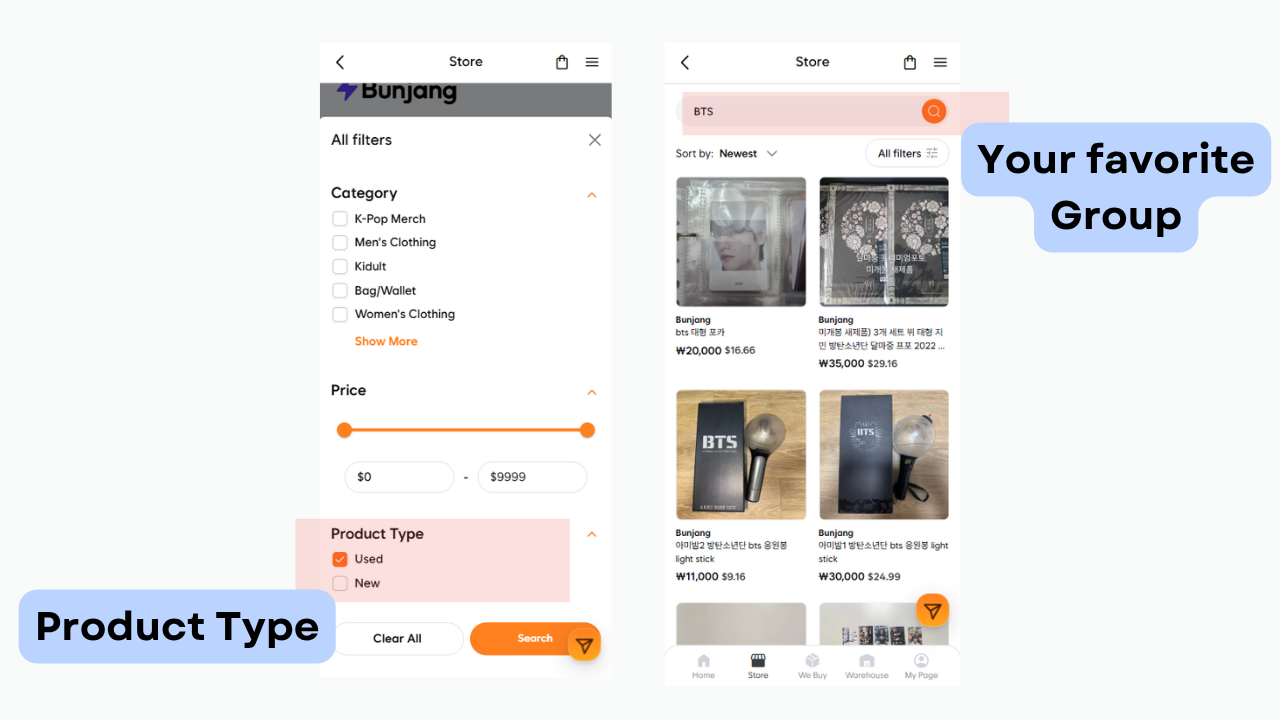
This table explains how to use each filter.
| Filter | How to use it |
|---|---|
| Category | Narrow down to merch, fashion, and more |
| Price | Set your budget limit first |
| Product Type | Choose New for sealed items only |
The Product Type filter matters most for this kind of shopping, because it lets you choose between secondhand and new items.
What Should You Check Before Ordering Secondhand Items on Bunjang?
Before ordering a secondhand item on Bunjang, read the full description and check what's included, the condition notes, and the photos. Most disappointment in secondhand shopping comes from getting something different from what you pictured.
For albums, check first whether the photocards are included. Plenty of listings leave them out, and that's where much of the price gap comes from. For a light stick, look for extras like the box or strap, and see whether the seller says it works properly.
Look closely at the photos too. A listing with several angles is much easier to judge than one with a single front-facing shot. If the description says things like "signs of use" or "everyday scratches," find those spots in the photos yourself. If you still have questions, write them in the Additional request when you order.
This table lists what to check and why each point matters.
| What to check | Why it matters |
|---|---|
| Included items | Photocards can change the price a lot |
| Condition notes | Shows signs of use and flaws |
| Number and angles of photos | Helps you judge real condition |
| Price vs. official price | Shows if the price is fair |
The two biggest checks are whether photocards and other extras are included and whether the photos back up the condition notes.
How Does Ordering from the Bunjang DK Store Work, Step by Step?
Ordering from the Bunjang DK Store takes five steps, from checkout to international shipping. After you order, the flow is simple.
- Order and pay in the Bunjang DK Store.
- Delivered Korea buys the item from the seller.
- The seller ships the item to the Delivered Korea warehouse.
- Once it arrives, you can see it on your My Page.
- When you request shipping, the item leaves for your overseas address.
If you want to ask the seller something, use the Additional request field when you order. The more specific you are, the more accurately Delivered Korea can pass it on. For example: "Please check whether the photocard is included."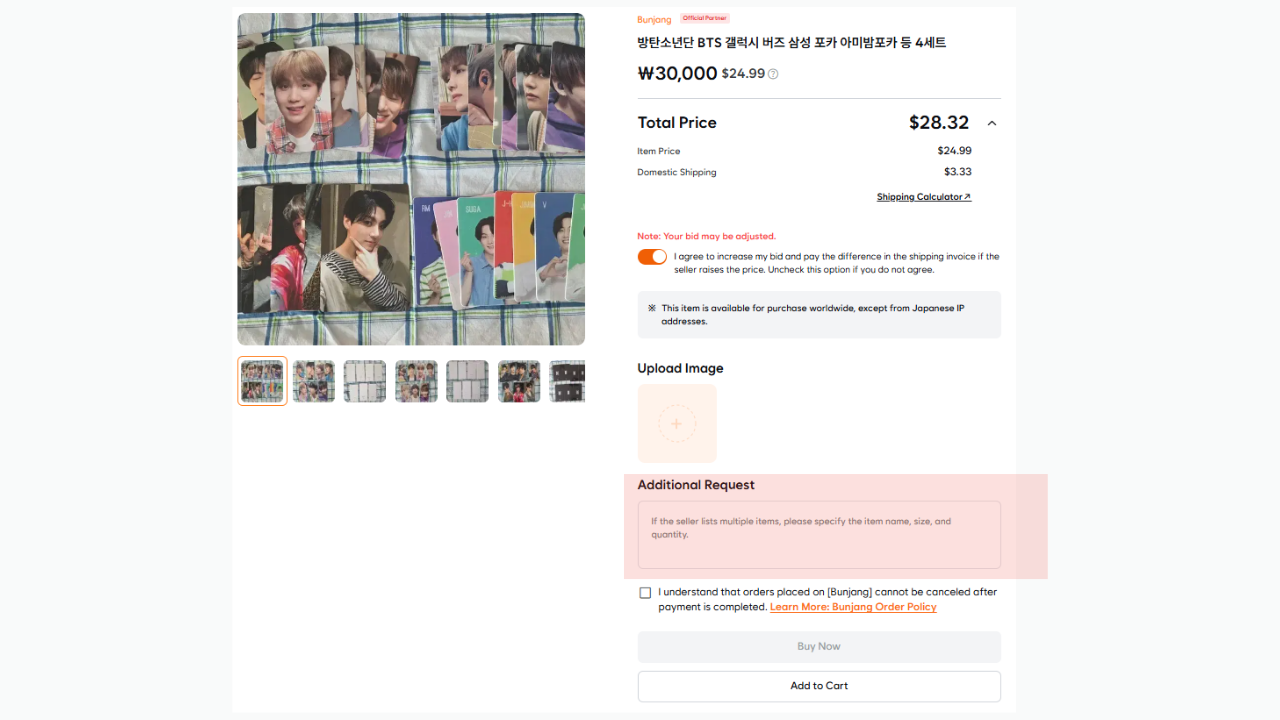
How Can You Save on Shipping When You Buy from Multiple Bunjang Sellers?
You can save on shipping from multiple Bunjang sellers by combining your items into one shipment at the Delivered Korea warehouse. Bunjang differs from other stores in one way: every item can come from a different seller.
Say you buy a photocard from Seller A and an album from Seller B. Each package reaches the warehouse separately, and sending them abroad one by one means paying shipping again and again.
Combined shipping works especially well here. Delivered Korea packs everything at the warehouse into one box and sends it once, so you skip the base shipping fee for each extra box. You can also collect items over time during the storage period and ship them all together. That suits how people shop Bunjang: the album arrives, a few days later you find its photocard, then another version catches your eye.
If bulky items like album boxes are in the mix, request repacking too. Less packaging often means less volumetric weight and a lower shipping cost. To estimate the cost before you ship, try the shipping calculator.
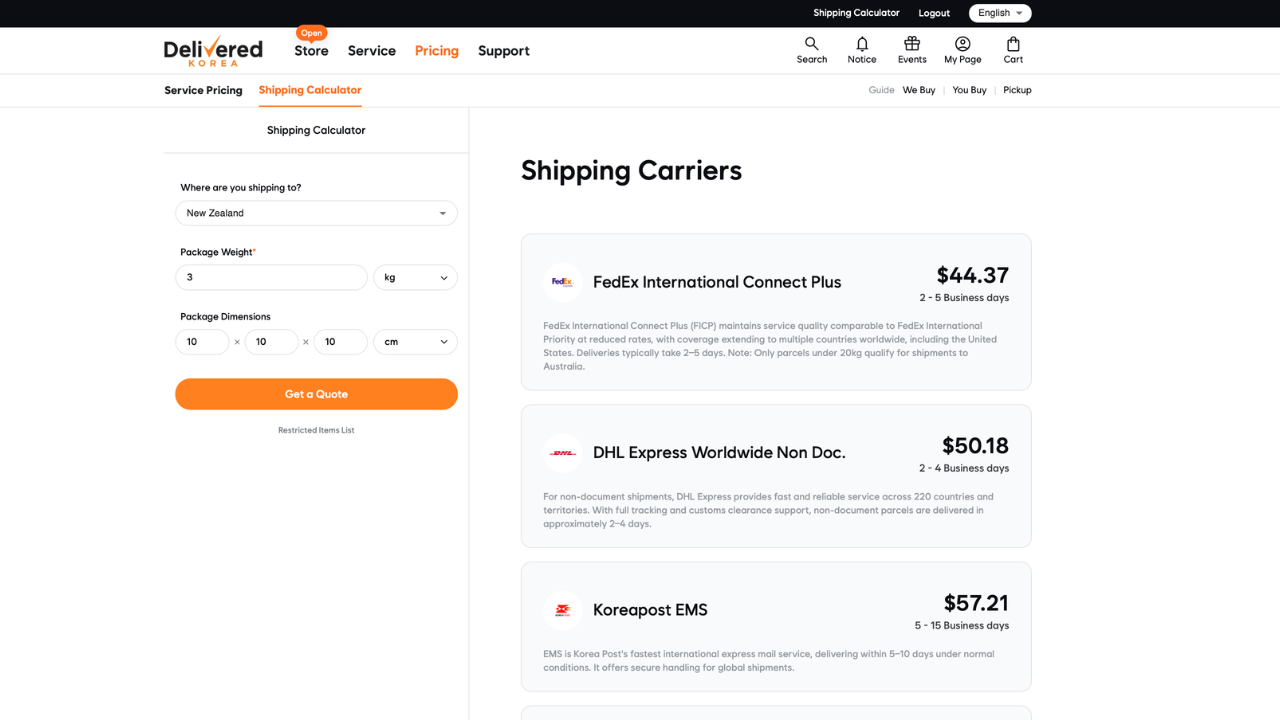
This table shows which service helps in which situation.
| Service | Useful when |
|---|---|
| Combined shipping | You buy from several sellers |
| Repacking | Bulky items like album boxes |
| Shipping calculator | You want a cost estimate before shipping |
Combined shipping is the main way to cut costs when your items come from different sellers.